
For Creative Sound Design, Beat Making, Synthesis & Live Performance
Searching for new ways to make sounds?
Try a completely new workflow designed to help get those creative juices flowing again!
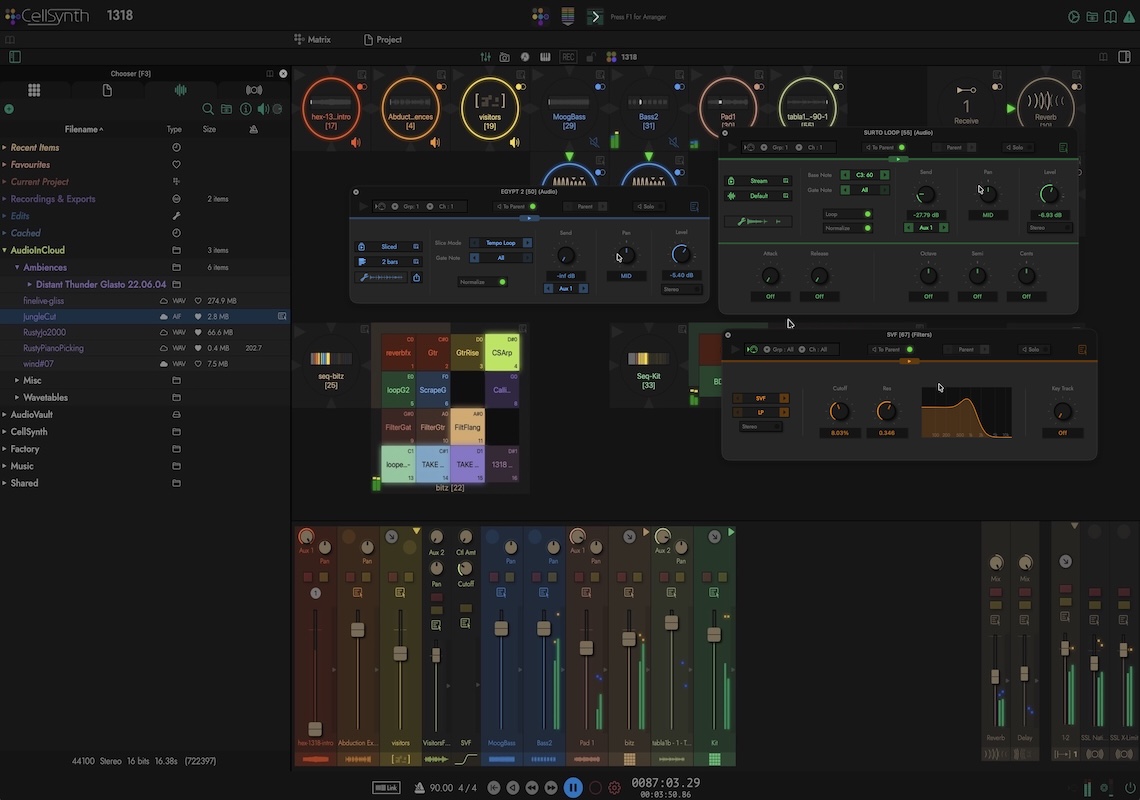
CREATE
The Matrix is a trackless canvas in which you realise your ideas by simply dragging in and connecting cells to create chains of audio units, built-in processors and audio files. A searchable Audio Pool and document panels provide access to all your assets without having to go to the Finder. Synchronized sample playback can be looped, time-stretched, sliced, diced, randomized, filtered or otherwise manipulated to any extent.
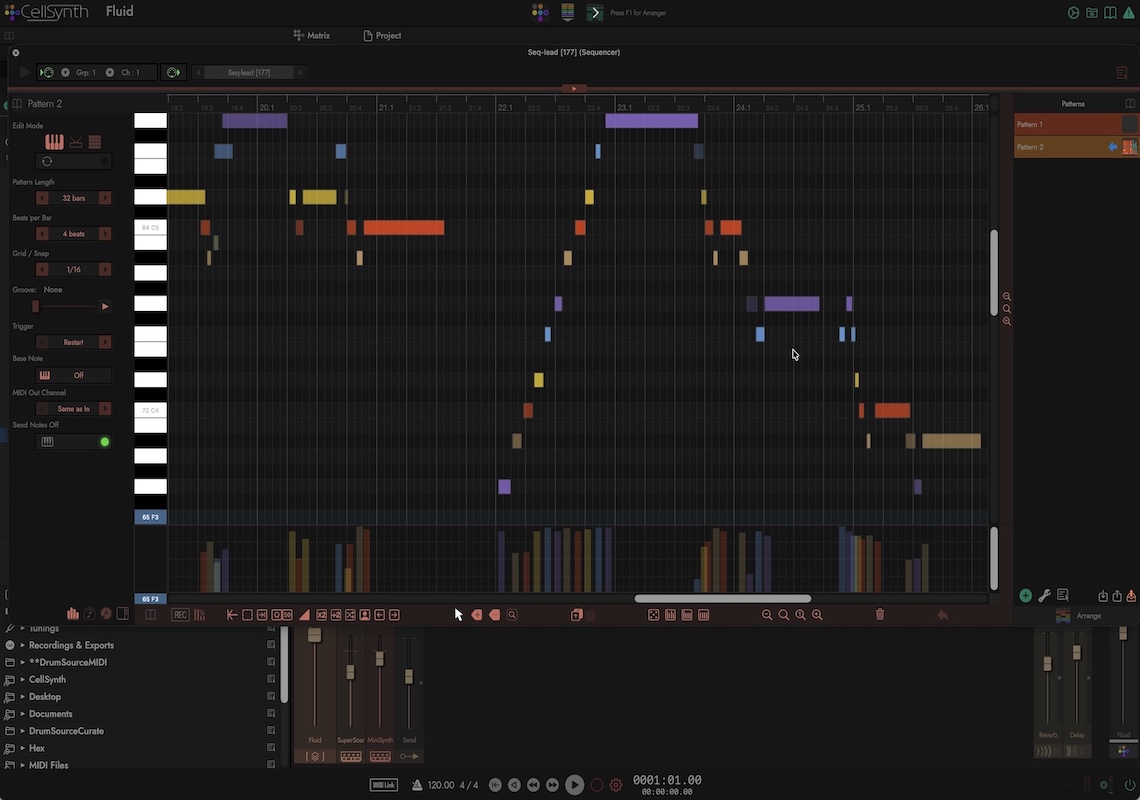
COMPOSE
MIDI 2.0 gives you 16 groups of 16 channels and you can run as many sequencer cells as you’ll ever need. Receive, record and send MIDI notes and controllers to and from anywhere in the Matrix and external hardware. MPE is also supported with full per-note curve editing. Various stochastic features let you apply randominity to notes and pattern playback.
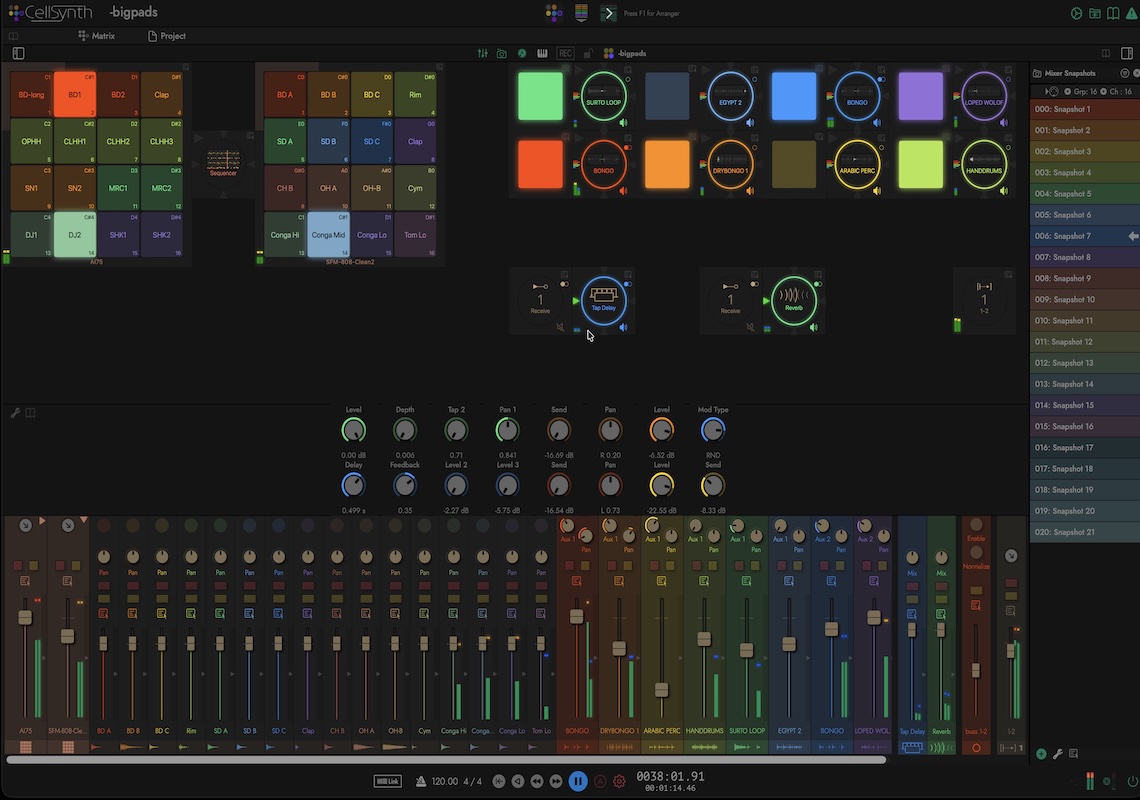
PLAY
Create pad groups for drum hits and samples. Layer as many software instruments as you want. Recall mixer snapshots and sequenced patterns at the click of a button or remotely via MIDI. Cell and AU parameters can all be assigned to controllers and 8 stereo i/o busses give plenty of scope for incorporating external hardware.
AUTOMATE
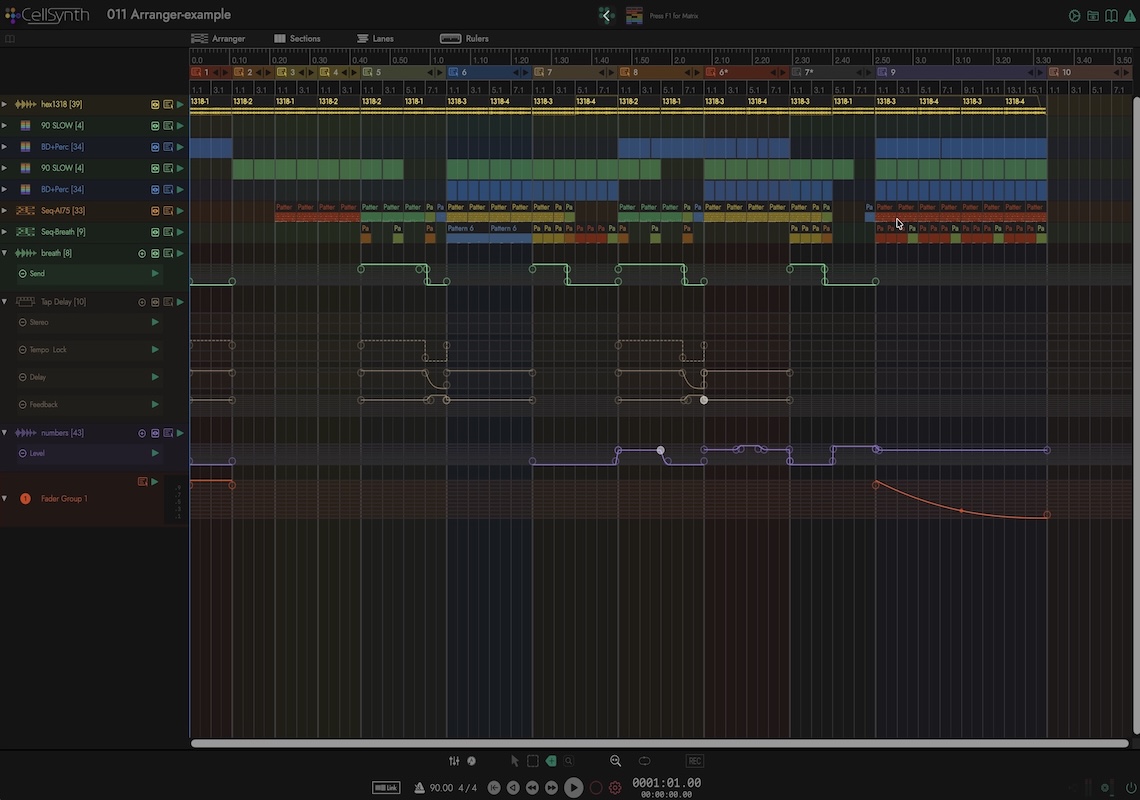
Link any cell to the Arranger and each parameter can have a lane on a timeline. You can record automation in real-time and editing is designed to be as simple as possible, just lay down a couple of points, set a curve and CellSynth interpolates between values.
ARRANGE
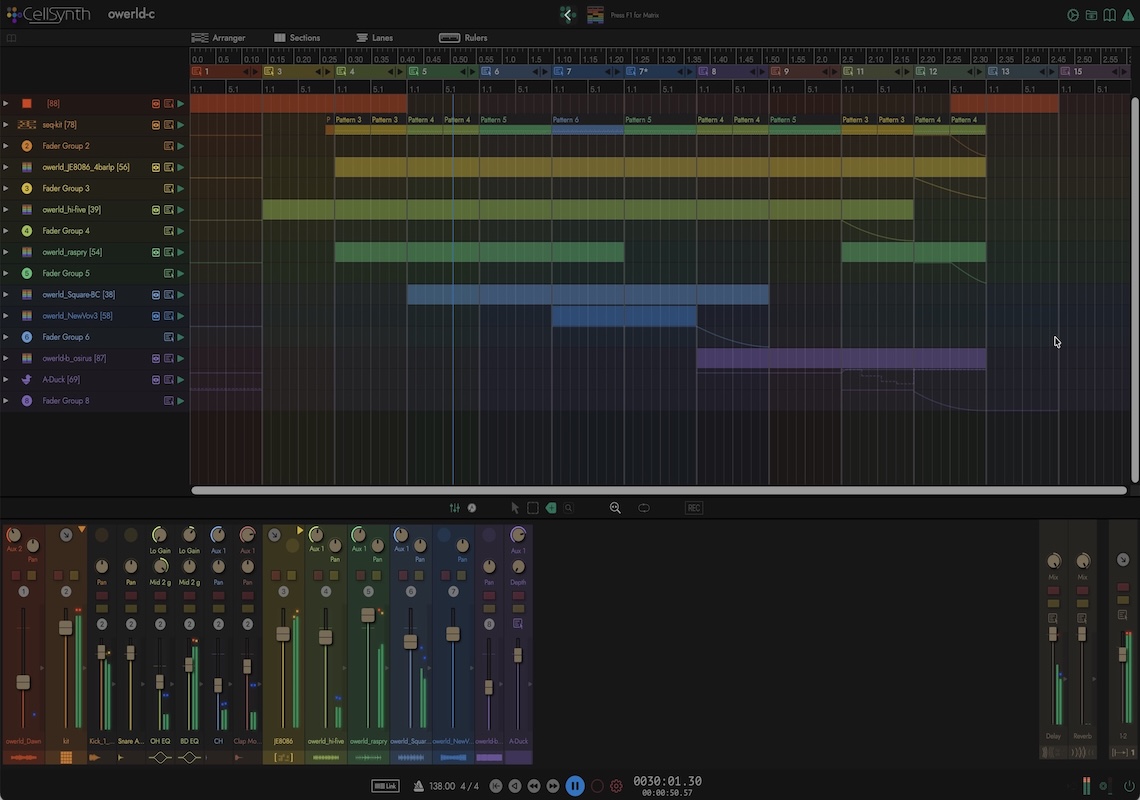
Place sequencer patterns and audio regions along a timeline in any order. Split a song into sections and move, repeat or duplicate them. Audio loops and mixer mutes can be added with a single click. You can also convert mixer snapshots into Arranger sections.
RECORD
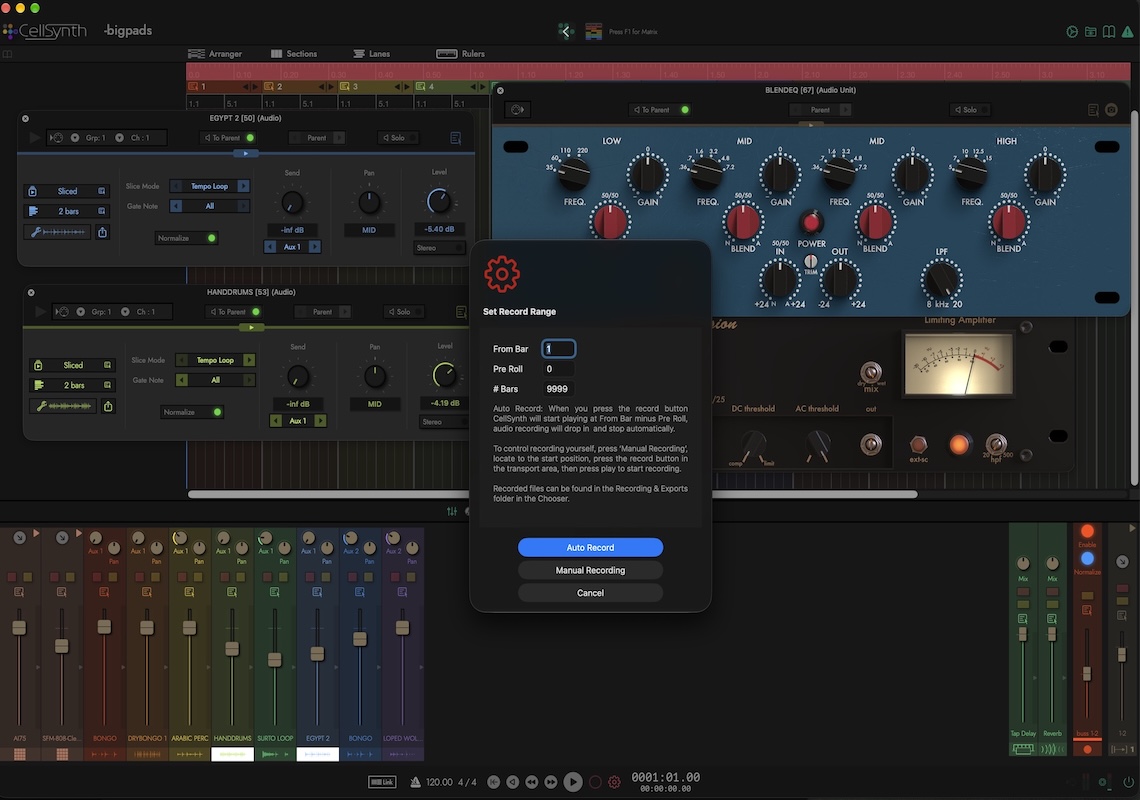
Audio can be tapped and recorded from any point in the Matrix. There are also special cells for post-proccesing output busses to record the entire stereo mix. Loops of exact length can be automatically recorded with pre-roll for catching reverb tails and echoes.
EDIT
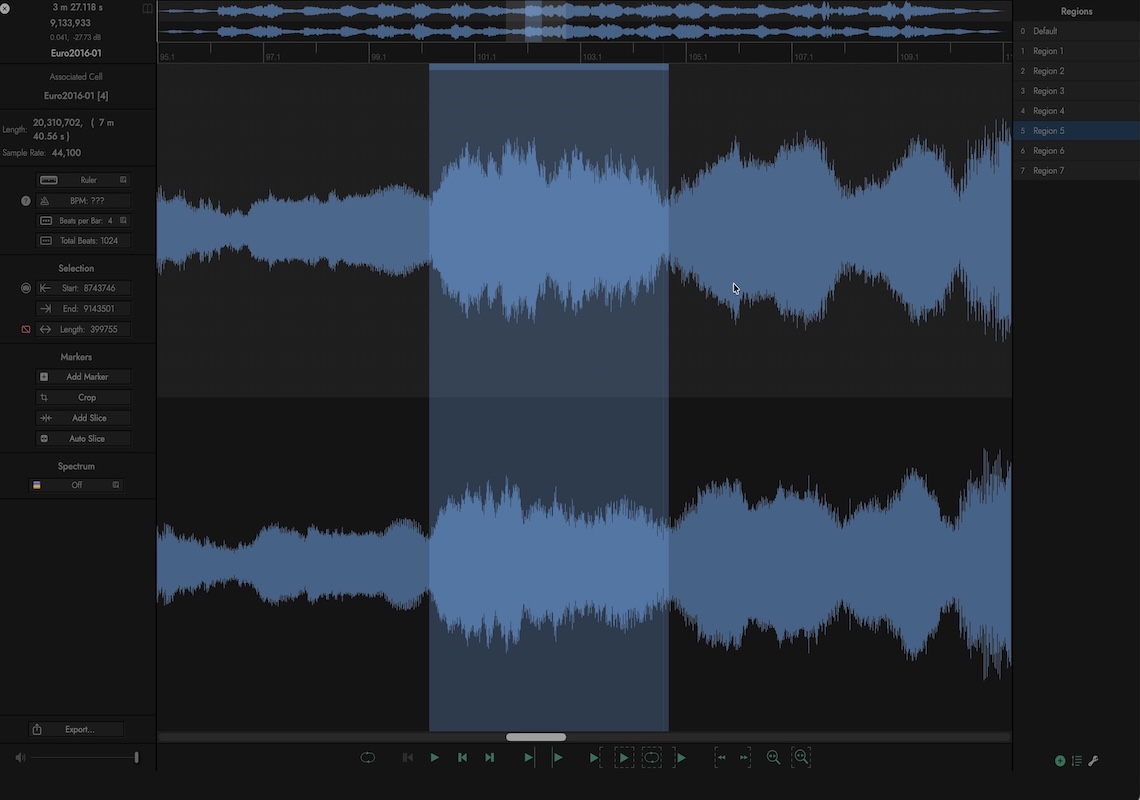
Trim audio files by setting start and end markers, create and save regions for playback in audio cells. Automatically slice drum loops for tempo syncing. Your original file is never touched. All edits are stored separately in an audio pool and can be exported at your convenience.
ANALYSE
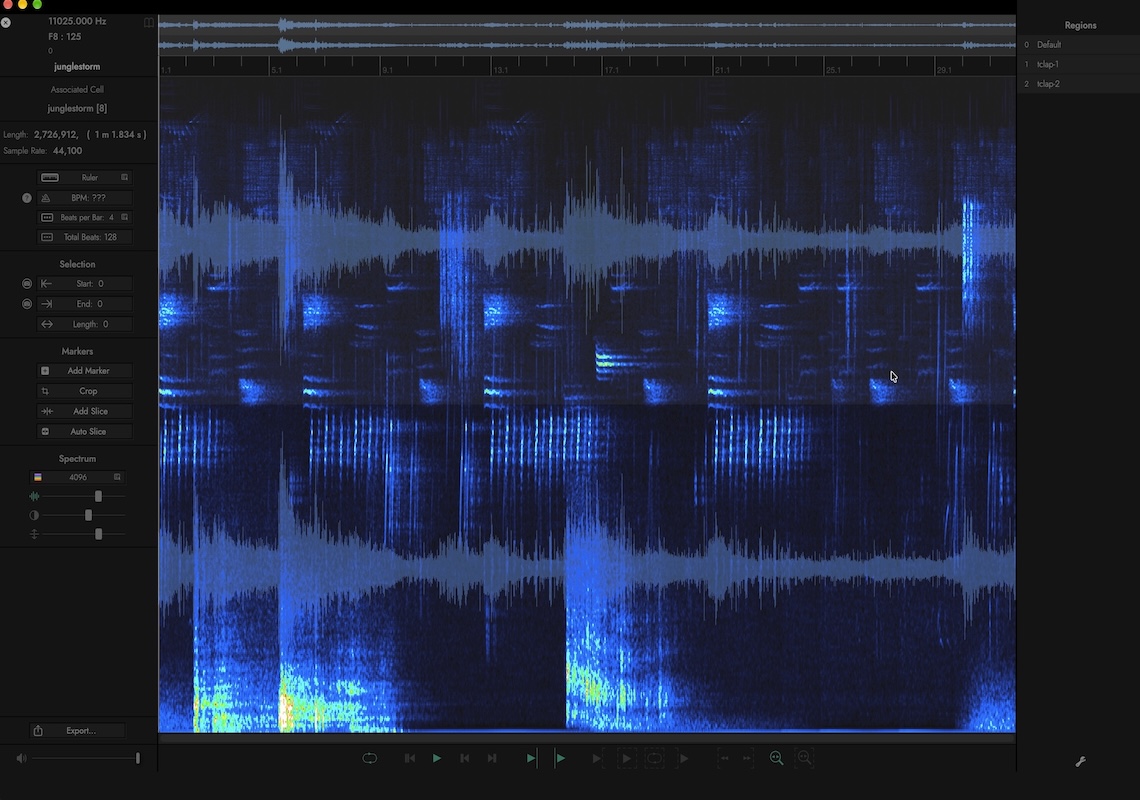
Turn on the spectrum overlay and identify frequencies in a sound, to help you spot things a waveform can't show. There is also a grid overlay for dividing a region into equal parts, making it easy to find individual cycles in wavetables.
SLICE
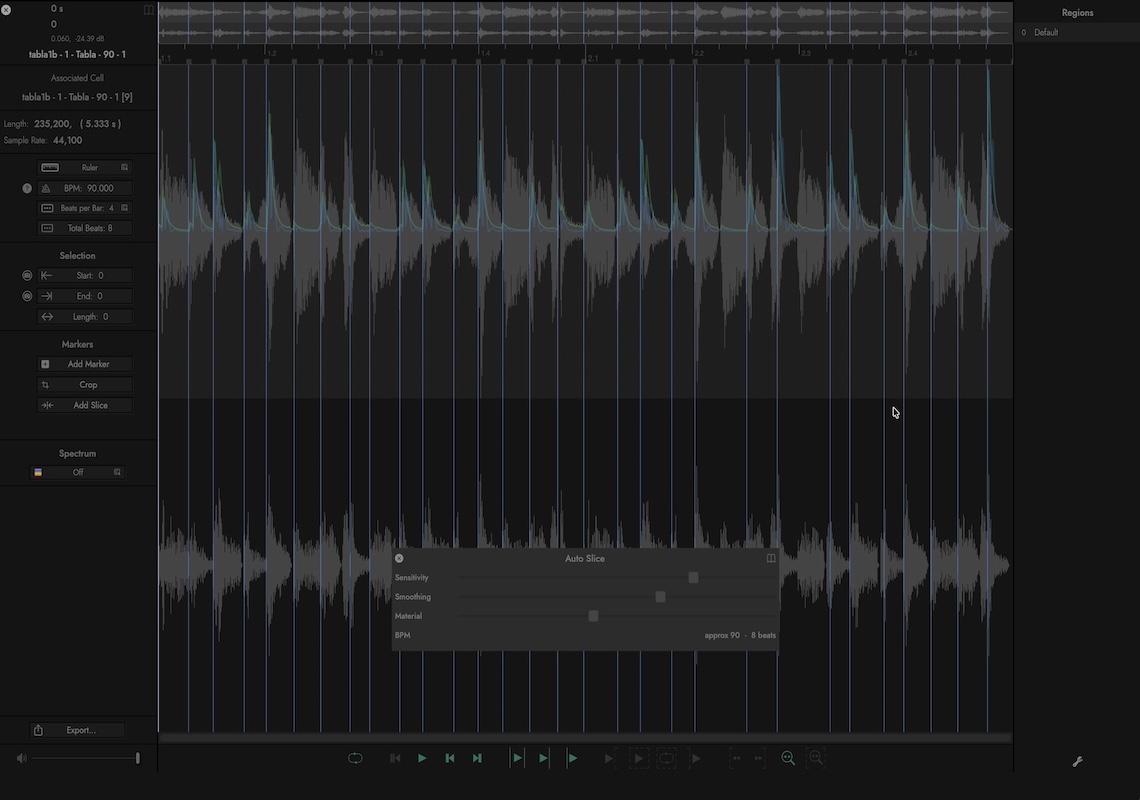
Auto Slice finds the hits (or transients) in a drum loop and places a marker at each one. An audio cell can then play the loop at any tempo without changing its pitch. Segments can be also be played by MIDI notes, by velocity, at random or round robin. MIDI files can be exported from the slicing editor for use in sequencers.
Introductory sale price will end January 1st 2027
CellSynth is available only on the Mac App Store, click the button below:

FEATURES
Matrix
- Drag-and-drop workflow with no tracks or awkward cables.
- Equally at home in the studio or on stage.
- Factory tutorials, examples and ready-made clips
- Audio Unit Hosting (v2 and v3).
- Audio files & Samples: stream, crossfade loop, auto slice, time-stretch and wavetable.
- An ever-growing list of build-in processing modules (Cells).
- Audio Pool: Scan your system for easy access to all your audio files.
- Full parameter automation with MIDI control
- Mixer snapshots with MIDI recall.
- Create entire tracks from start to finish.
- Make polyphonic instruments with up to 128 voices, arpeggiator and micro-tuning.
- Build your own effect racks.
- Save sets of cells as clips to use in other projects
- Automatically sync audio loops to tempo.
- Layer groups with key zones.
Audio & MIDI
- 32 bit precision audio with 8 stereo input and output busses.
- I/O routing matrix.
- Record audio from any point in the Matrix.
- Auto record for accurate loop capture.
- Supports multiple simultaneous audio devices.
- Import almost all audio formats via drag and drop.
- Real-time automatic sample rate conversion.
- MIDI 2.0 with 16 groups of 16 channels (UMP).
- External MIDI controllers can be assigned to individual groups.
- MPE
- Ableton Link sync
Sequencers
- Piano roll, drum mode and pad-group editors.
- MIDI editing and event transformation tools.
- Chord identification.
- Stochastic events, give notes and entire patterns a chance to play.
- Chain patterns into arrangements.
- Beat generator to create starting ideas for drum patterns. (experimental)
- MIDI controllers and parameter automation.
- Record & play MPE with per-note curve editing.
- Drag and drop MIDI file import/export.
Mixer
- Auto configuring mixer with mute, solo, aux sends and linked fader groups
- Remote MIDI control.
Arranger
- A timeline with lanes for patterns, audio regions and automation
- Sections that you can move, repeat and duplicate
- Parameter automation recording and editing.
AudioEditor
Non-destructive, CellSynth never alters your original files.
Trim files and save regions.
Auto Slice for drum loops.
Spectrum and wavetable overlays.
Export to WAV, AIFF, lossless M4A and Apple Loops
Thank you for supporting an independent software developer.
CellSynth is designed and coded by Andy Bull aka Living Memory Software.
AI does have a place in software development but DSP coding is not that place, so there’s no AI slop here, it's all from my own human head.
